Dashboard
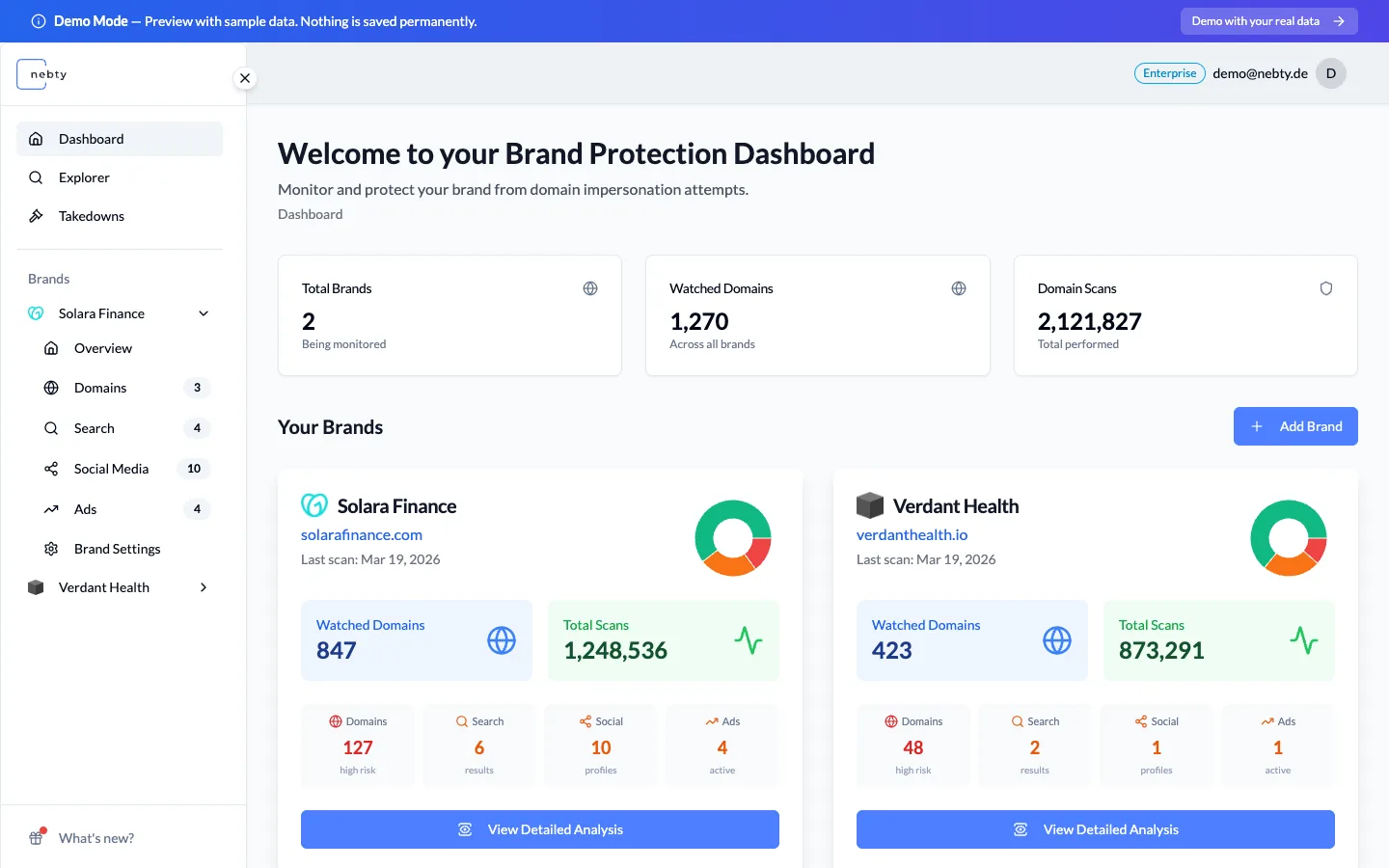
The dashboard is the first screen you see after signing in to nebty. It shows a card for every brand you protect, plus three account-wide stats: Total Brands, Watched Domains, and Domain Scans.
Your brands
Section titled “Your brands”Each brand card summarises the risk nebty has found for that brand across the four monitored channels: Domain Monitoring, Search, Social Media, and Ads. Select a card to open that brand.
If you protect a single brand, you will only see one card. If you manage several, the dashboard is where you compare them at a glance before deciding which one needs attention first.
Opening a brand
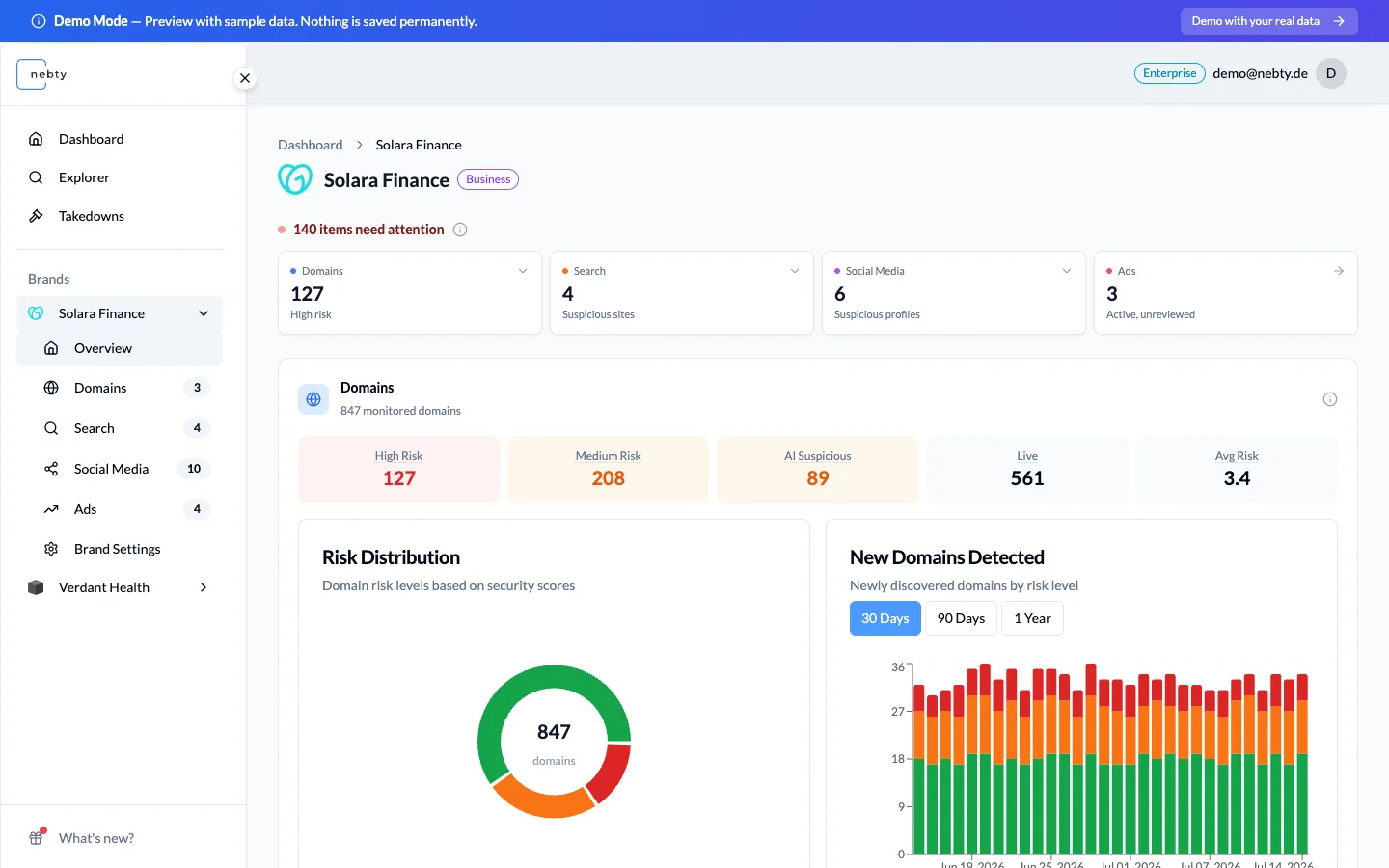
Section titled “Opening a brand”Selecting a brand card takes you to its overview. The overview shows a threat summary across the four channels, Domain Monitoring, Search, Social Media, and Ads, so you can see where a brand’s exposure is concentrated.
Below the summary, two charts give you more context: a Risk Distribution chart, which groups the brand’s domains by Risk Score band (Low, Medium, High), and a New Domains Detected chart, which plots how many new domains appeared over recent weeks, by risk level.
Where to go next
Section titled “Where to go next”The overview tells you where to look. From here, the usual next step is to open Domain Monitoring, the channel that most often surfaces the first finding worth reviewing.
Once you have a finding open, the Review your first finding guide walks through reading its Risk Score and AI Verdict, and the Review a suspicious domain guide covers triaging a domain finding end to end, from the dashboard through to a Takedown.