Review a suspicious domain
This guide walks you through a domain that nebty has flagged, so you can decide whether it is a real threat.
Before you start
Section titled “Before you start”You need an account with a brand that has domain findings. If you just want to try the steps without an account, open the demo instead.
-
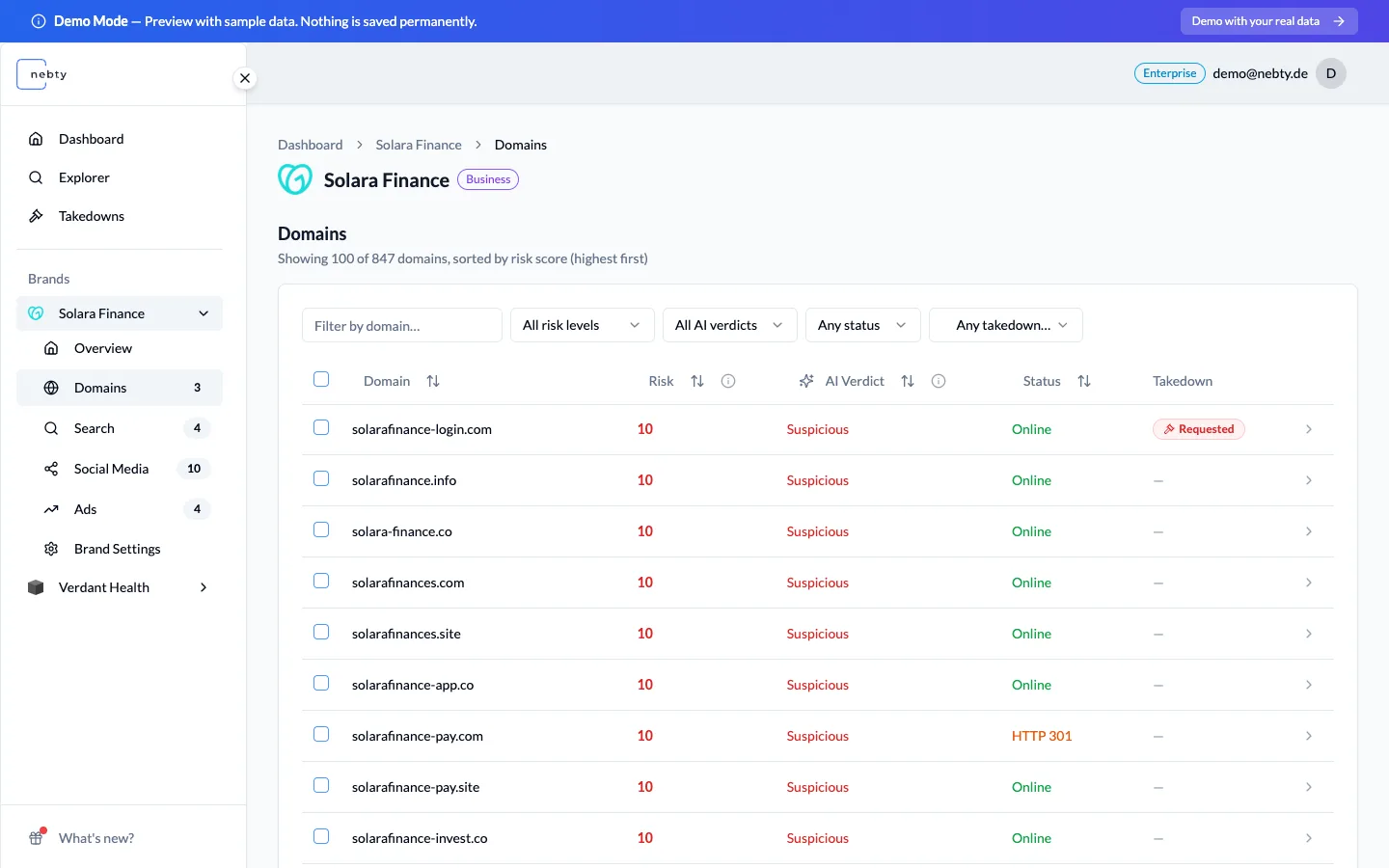
Open Domain Monitoring for the brand. The table lists every domain nebty has found, with a Risk Score and an AI Verdict for each row.
-
Read the Risk Score and the AI Verdict together for the row you are reviewing. The Risk Score runs from 1 to 10: Low (1 to 3), Medium (4 to 7), High (8 to 10). The AI Verdict is Suspicious, Benign, or Unknown. A high Risk Score with a Suspicious verdict is the clearest sign that the domain deserves a closer look.
-
Open the domain to see the full picture. The domain detail page has an Overview, DNS, and History, so you can check what the domain resolves to, how it is registered, and what has changed since nebty first saw it.
-
Decide what the domain is and act on it:
- This is us: the domain belongs to you. Mark it and nebty stops flagging it.
- Not a threat: it is not impersonation. Open Feedback and choose Flag as False Positive so it leaves your review queue.
- A genuine threat: choose Request Takedown to act on it.
What happens next
Section titled “What happens next”Choosing Request Takedown opens a takedown case against the domain, which you can then follow on the Takedowns page. See Request a takedown for the full flow.
Marking a domain This is us stops nebty flagging it going forward. Flagging it as a false positive sets it aside so it no longer takes up space in your review queue.
Related: Domain Monitoring.
Review a domain in the demo(opens the public demo with sample data)