Search
The Search tab monitors Google results for your brand keywords and evaluates each one with AI, so a result that impersonates you surfaces as a finding you can review. You find it on a brand’s page, under the Search tab.
What you see
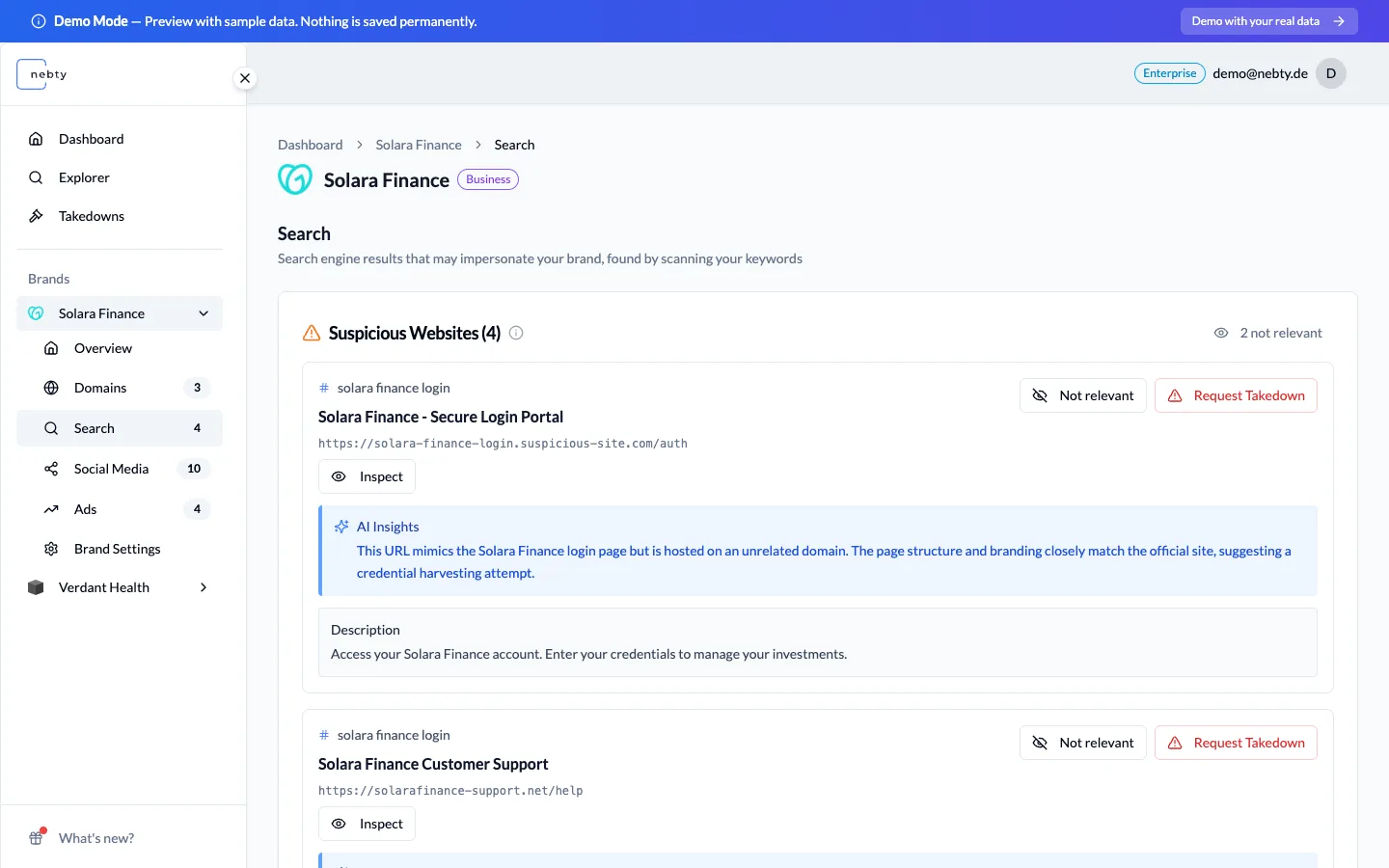
Section titled “What you see”The Search tab lists the websites AI has flagged as suspicious for your brand keywords, each one waiting for your review. For every result you get:
- The AI’s reasoning for why the result was flagged.
- A quote from the search snippet that triggered the flag.
Below the flagged results is a scan history, so you can see when nebty last checked your keywords.
Reviewing a result
Section titled “Reviewing a result”From here you have two actions. If a result does not apply to your brand, mark it Not relevant and give a reason, which removes it from your review queue. If it is genuine impersonation, choose Request Takedown, the starting point for a Takedown.